
01
Your surroundings, mapped
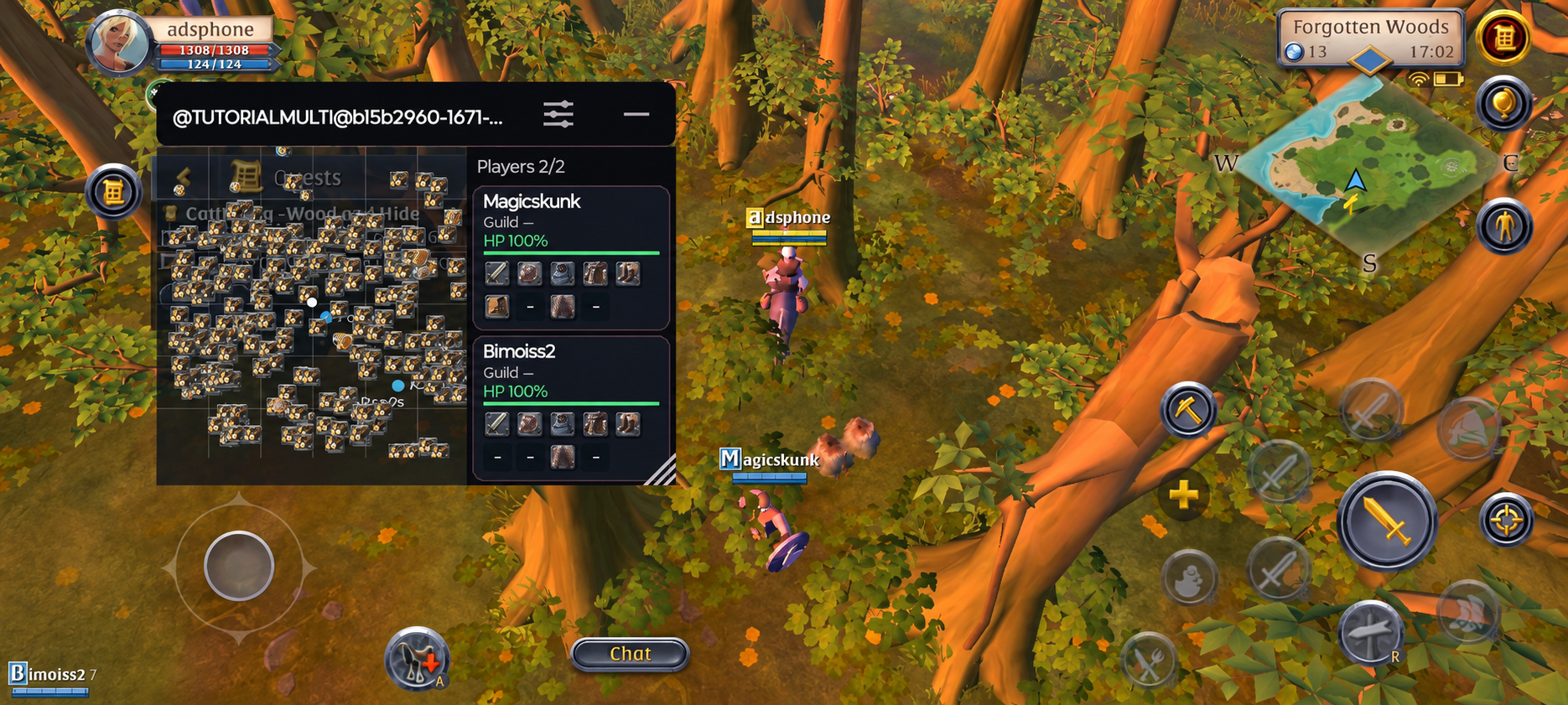
See nearby players and resources on the overlay map. It adds another view of the area around your character.
Your surroundings in one view Albion DarkStore
Albion Online · Android
Albion Online mobile radar for Android
The Albion Online map, nearby players, equipment and resources in an overlay on your Android phone. Keep the information beside your game.
Features
Useful information alongside your game, from nearby objects to player equipment.
See nearby players and resources on the overlay map. It adds another view of the area around your character.
Your surroundings in one viewView nearby player cards and their equipment in a separate panel over your game.
Player cards over your gameAdjust resource visibility to suit your plans. Use filters to keep the objects you are looking for on the map.
Choose which objects to displayCompatibility
Phone Radar runs on 64-bit Android devices. Check these requirements before purchasing.
Phone Radar access
Three Android license options. Purchase through FunPay, where each listing shows the current price.
A Phone Radar license is for Android. Choose ADS-Radar for Windows.
Installation
Download the APK and sign in to your account with an active Phone Radar license. We can help with installation and access on Telegram or Discord.
Use the Google Play version of the game on Android 10 or later with a 64-bit ARM64 architecture.
Download PhoneRadar-0.1.6.apk using a button on this page and install the app on your device. Root is not required.
Sign in to your account with an active Phone Radar license. Adjust the map, player cards and resource filters.
Before you start
The essentials about your device, installation and license.
Phone Radar is a separate Android app for Albion Online. It shows a map, nearby players, their equipment and resources in an overlay over the game.
Android 10 or later with a 64-bit ARM64 architecture is required. Albion Online must be installed from Google Play. This APK does not run on 32-bit Android.
Download PhoneRadar-0.1.6.apk using a button on this page and choose a license on FunPay: 7 days, 30 days or Lifetime. You need an account and an active Phone Radar license to launch the app.
No, Phone Radar does not require root.
Phone Radar installs as a separate Android app. ADS Launcher is used for Windows products and is not needed to install Phone Radar.
Phone Radar is built for Android, while ADS-Radar is for Windows. They have separate apps and setup instructions. The mobile version requires an active Phone Radar license. Explore ADS-Radar for Windows